
Orux AIOruxAI
OpenAI logo

OpenAI

GPT Image 2.6 Flare Image API

gpt-image-2.6-flare

Faster GPT Image 2.6 for drafts, edits, SVG and GIF output.

Pricing

/ 1M text units

Input
1,000 Credits≈ $5.0000
Cache read
250 Credits≈ $1.2500
Media input
1,600 Credits≈ $8.0000
Media output
6,000 Credits≈ $30.0000
Cached media input
400 Credits≈ $2.0000

Pricing follows the selected specifications

Output
Image
Added to catalog
Nov 5, 2026
Input
Examples
*
Default: high

Estimate the cost first. Generation starts only after confirmation.

OutputFill example

Examples and templates

Load the original settings, then adjust them before generating.

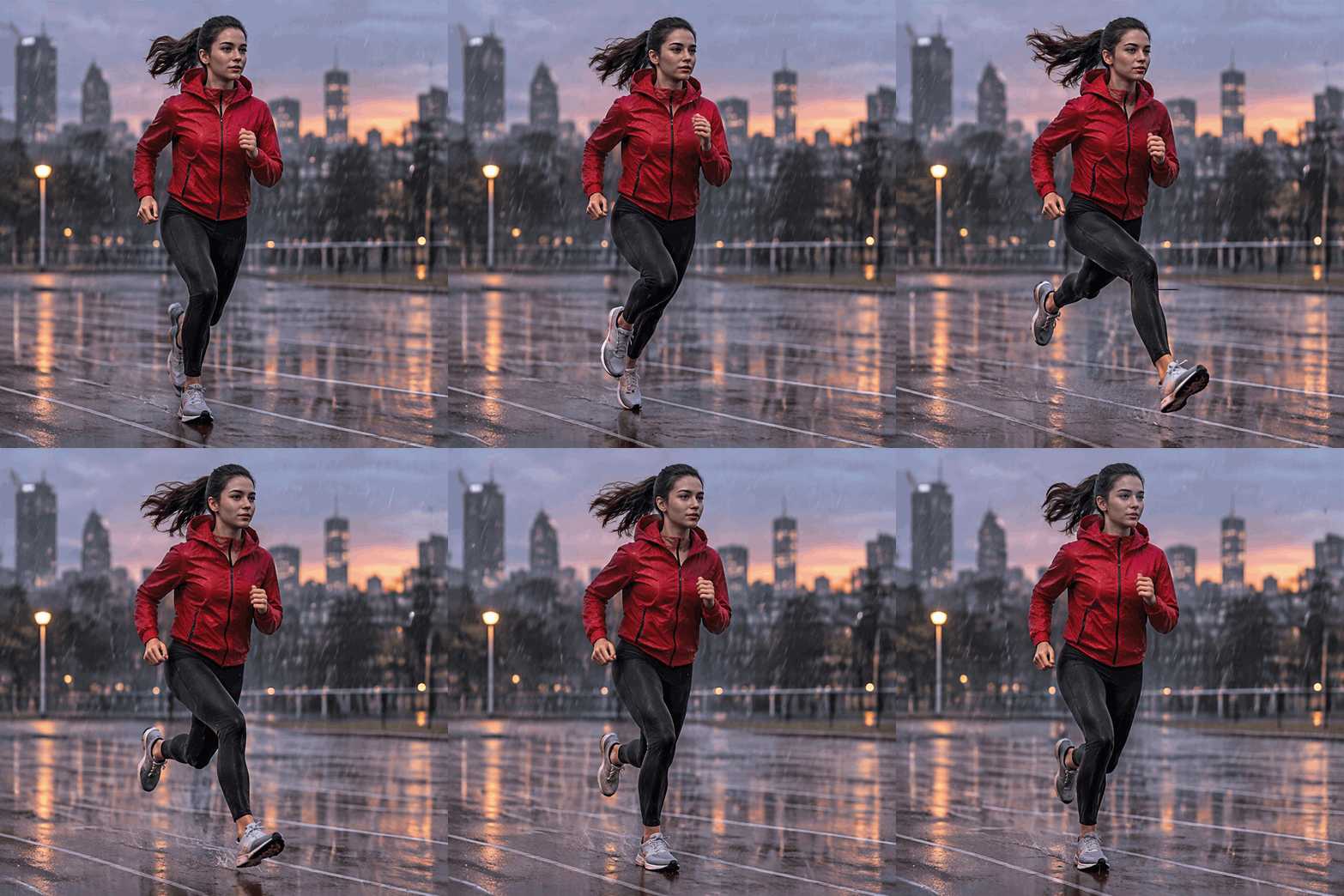
Runner in the rain

Runner in the rain

A seamless looping GIF of one young runner in a red jacket mid-stride on a wet city track at dusk. The same face, jacket and stride stay recognizable while the arms and legs move through one running cycle and rain streaks pass behind. No products, no signs, no logos, no readable text.

README

Faster GPT Image 2.6 for drafts, edits, SVG and GIF output.

Model capabilities

Input modalities
TextImage
Output modalities
Image

Parameters

Fields accepted in the request body for this model.

prompttext
Required
Length: ≤ 20000
qualityenum
Optional
Values: low / medium / highDefault: high

Pricing

Pricing for this model has not been published yet.

Performance

24H Status Monitor

Normal
Last 24 hoursNow

POST https://orux.top/api/v1/images/generations

Frequently asked questions

About GPT Image 2.6 Flare pricing, capabilities and API access on Orux AI.

What is GPT Image 2.6 Flare?

GPT Image 2.6 Flare: Faster GPT Image 2.6 for drafts, edits, SVG and GIF output.

How much does GPT Image 2.6 Flare cost on Orux AI?

GPT Image 2.6 Flare starts at 5.944 Credits per image on Orux AI. A request with extra parameters uses the matching row in the pricing section.

What inputs and outputs does GPT Image 2.6 Flare support?

GPT Image 2.6 Flare accepts Text / Image and returns Image.

Where can I access the GPT Image 2.6 Flare API?

Create an Orux AI API key and send an authenticated POST request to https://orux.top/api/v1/images/generations, using gpt-image-2.6-flare as the model identifier. Try the playground on this page and use the API example for the exact request format.