
Orux AI / Model notes
Cost per Accepted Image: Budget Image APIs With Retries
Budget image generation by cost per accepted image, not list price. Current Nov 2026 Credits for six models, a retry worked example, and one async Python client to switch models.


On this page
The number on a model page is the price of one attempt. What your app actually pays for is an image someone accepts. If a cheap model needs two tries to produce a usable picture and a more expensive one gets it right the first time, the sticker price tells you very little. This guide shows how to budget image generation as cost per accepted image, using current Orux AI list prices for six models, and how to keep those models behind one small async client so you can move traffic between them without rewriting your app.
All prices below were read from the Orux AI model pages on 2026-11-04. They are lower than the figures in our October pricing posts for several models, so use this table rather than older ones. 1 Credit = $0.005.
Why list price is the wrong unit
An image request on Orux AI is billed per successful image. A task that ends as FAILED or EXPIRED is not charged. That sounds like you only pay for what works, but "successful" means the model returned an image, not that the image is right for your product. A picture with the wrong product color, broken lettering or an awkward crop still counts as a success and still costs Credits.
So the real budget formula has two parts:
- List price per attempt, which you can read off the model page.
- Attempts per accepted image, which depends on your prompts, your review bar and the model. You have to measure this yourself.
Cost per accepted image = list price × attempts per accepted image.
If 100 images are generated and 77 are accepted, attempts per accepted image is 100 ÷ 77 ≈ 1.3. That ratio is the most important number in an image budget, and almost nobody tracks it.
Current list prices (checked 2026-11-04)
| Model | Resolutions | List price per image | USD equivalent | Reference images | Notes |
|---|---|---|---|---|---|
| Nano Banana 2.1 | 1K / 2K / 4K | 2.281 Cr (1K); 2.667 Cr (2K, 4K) | $0.0114; $0.0133 | up to 10 | widest aspect-ratio list, incl. 1:8 and 8:1 |
| flux-2-pro | 1K only | 2.67 Cr | $0.0134 | none (text only) | 1:1 only |
| GPT Image 2.5 Sunburst | 1K / 2K / 4K | 2.667 Cr (all sizes) | $0.0133 | up to 16 | same price at 4K as at 1K |
| Wan2.7 Image | 1K / 2K | 4.333 Cr (0–9 refs) | $0.0217 | up to 9, no surcharge | 5 aspect ratios |
| Qwen Image 3.0 Pro | 1K / 2K | 6.667 Cr (1K); 13.33 Cr (2K), no refs | $0.0333; $0.0667 | up to 3, surcharge per ref | typography and posters |
| Seedream 5.0 Pro | 1K / 2K | 7.5 Cr (1K); 15 Cr (2K), no refs | $0.0375; $0.075 | up to 10, surcharge per ref | product shots, portraits |
Swipe horizontally to view the full table.
How to read it:
- Three models sit around 2.3–2.7 Credits per image: Nano Banana 2.1, flux-2-pro and GPT Image 2.5 Sunburst. Wan2.7 Image is in the middle. Qwen Image 3.0 Pro and Seedream 5.0 Pro cost roughly 2.5 to 3.3 times more at 1K, and double again at 2K.
- Reference images are free on Nano Banana 2.1, GPT Image 2.5 Sunburst and Wan2.7 Image. On Qwen Image 3.0 Pro a 1K image with three references is 8.267 Cr ($0.0413); on Seedream 5.0 Pro a 1K image with ten references is 12.5 Cr ($0.0625). If your workflow is edit-heavy, use those rows, not the no-reference price.
- flux-2-pro is cheap but limited: on Orux AI it currently accepts only 1K and 1:1, with no reference images. If you need 16:9 banners or edits, it is not an option at any price.
Worked example: cost per accepted image
The attempt ratios below are assumptions for illustration, not measurements. Replace them with your own numbers after a pilot run.
| Model (1K, no refs) | List price | At 1.0 attempts | At 1.3 attempts | At 2.0 attempts | Break-even vs Seedream 5.0 Pro at 1.0 |
|---|---|---|---|---|---|
| Nano Banana 2.1 | 2.281 Cr | 2.281 Cr ($0.0114) | 2.965 Cr ($0.0148) | 4.562 Cr ($0.0228) | 3.29 attempts |
| flux-2-pro | 2.67 Cr | 2.67 Cr ($0.0134) | 3.471 Cr ($0.0174) | 5.34 Cr ($0.0267) | 2.81 attempts |
| GPT Image 2.5 Sunburst | 2.667 Cr | 2.667 Cr ($0.0133) | 3.467 Cr ($0.0173) | 5.334 Cr ($0.0267) | 2.81 attempts |
| Wan2.7 Image | 4.333 Cr | 4.333 Cr ($0.0217) | 5.633 Cr ($0.0282) | 8.666 Cr ($0.0433) | 1.73 attempts |
| Qwen Image 3.0 Pro | 6.667 Cr | 6.667 Cr ($0.0333) | 8.667 Cr ($0.0433) | 13.334 Cr ($0.0667) | 1.12 attempts |
| Seedream 5.0 Pro | 7.5 Cr | 7.5 Cr ($0.0375) | 9.75 Cr ($0.0488) | 15 Cr ($0.075) | 1.00 |
Swipe horizontally to view the full table.
The last column answers a practical question: how many attempts can a cheaper model need before it costs as much per accepted image as Seedream 5.0 Pro accepting everything on the first try? For Nano Banana 2.1 the answer is about 3.3 attempts. For Wan2.7 Image it is about 1.7.
Now a concrete scenario. Suppose a pilot shows:
- Model A, Nano Banana 2.1 at 1K, needs 1.3 attempts per accepted product shot.
- Model B, Seedream 5.0 Pro at 1K, needs 1.0 attempts.
For 1,000 accepted images:
- Model A: 1,000 × 1.3 × 2.281 = 2,965 Credits ($14.83)
- Model B: 1,000 × 1.0 × 7.5 = 7,500 Credits ($37.50)
Model A is still well under half the cost, even with 30% more attempts. The ranking only flips when the cheap model's ratio climbs above roughly 3.3, or when a rejected image costs you something other than Credits.
That second case matters. Every rejected image takes time to look at, and in a user-facing app each retry is extra waiting. If a human reviews every result, reviewer time can dwarf a few Credits. This article does not put a number on reviewer time, because it differs for every team, but the code below records attempts so you can add it.
The retry multiplier hides in three places
Attempts per accepted image grow for reasons that have nothing to do with model quality:
- Duplicate submissions. If your worker times out while polling and submits the same job again, you can pay for two successes. Store the
task_idfirst and resume polling instead of resubmitting. - Unsupported parameters. Asking a model for an aspect ratio or resolution it does not offer is rejected before submission, which costs nothing but breaks your pipeline. Keep per-model limits in config (see below), so switching from GPT Image 2.5 Sunburst to flux-2-pro does not silently send 16:9 to a 1:1-only model.
- Prompt drift. When a cheaper model is swapped in with a prompt tuned for another model, acceptance can drop. Re-pilot each model with your own prompts before moving real traffic.
Existing public examples from the model pages
The five images below are existing public examples shown on each model page on Orux AI. They were not generated for this article and are not a quality test. They show the kind of output each model page documents, with the prompt and settings listed there.
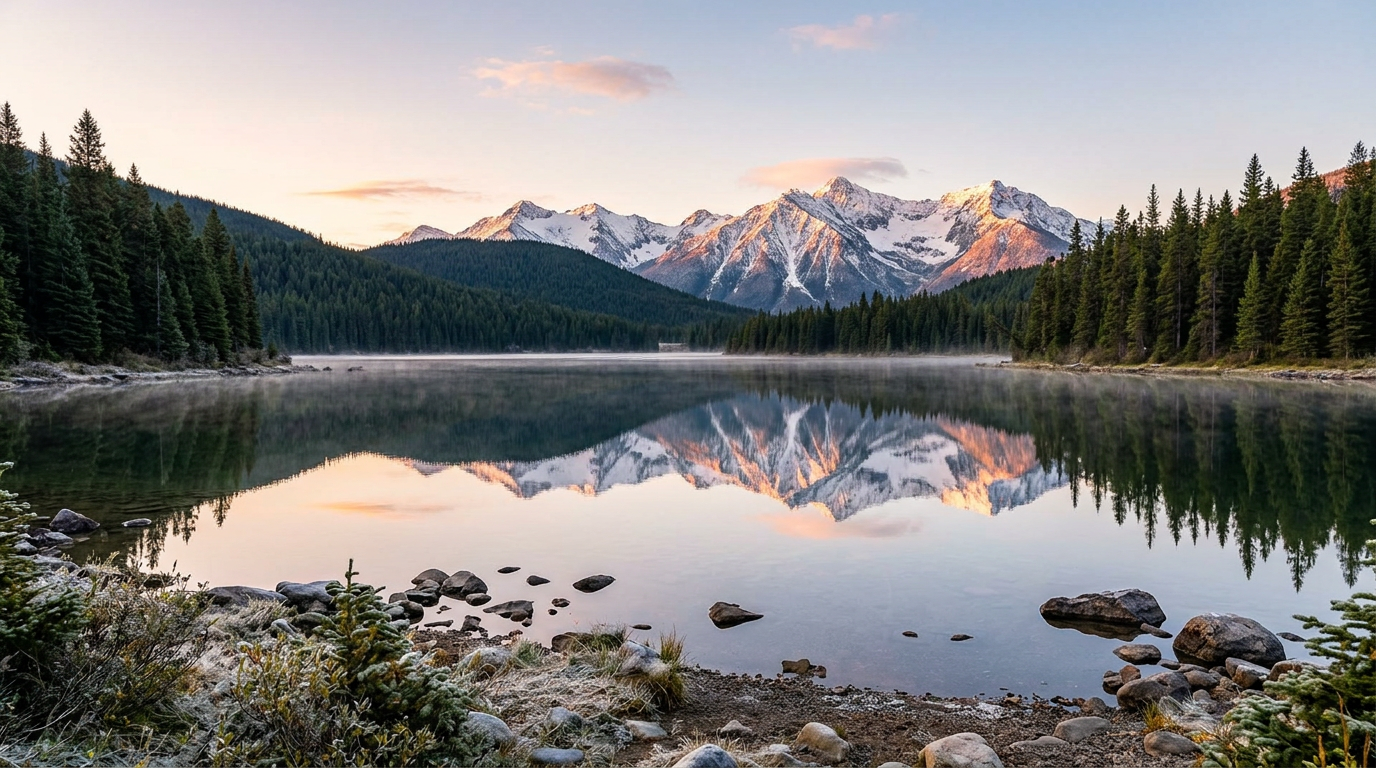
*Existing public example from the Nano Banana 2.1 model page: "Still alpine lake perfectly reflecting snow-capped peaks and pine trees at sunrise", 1K, 16:9. List price for this setting: 2.281 Credits.*
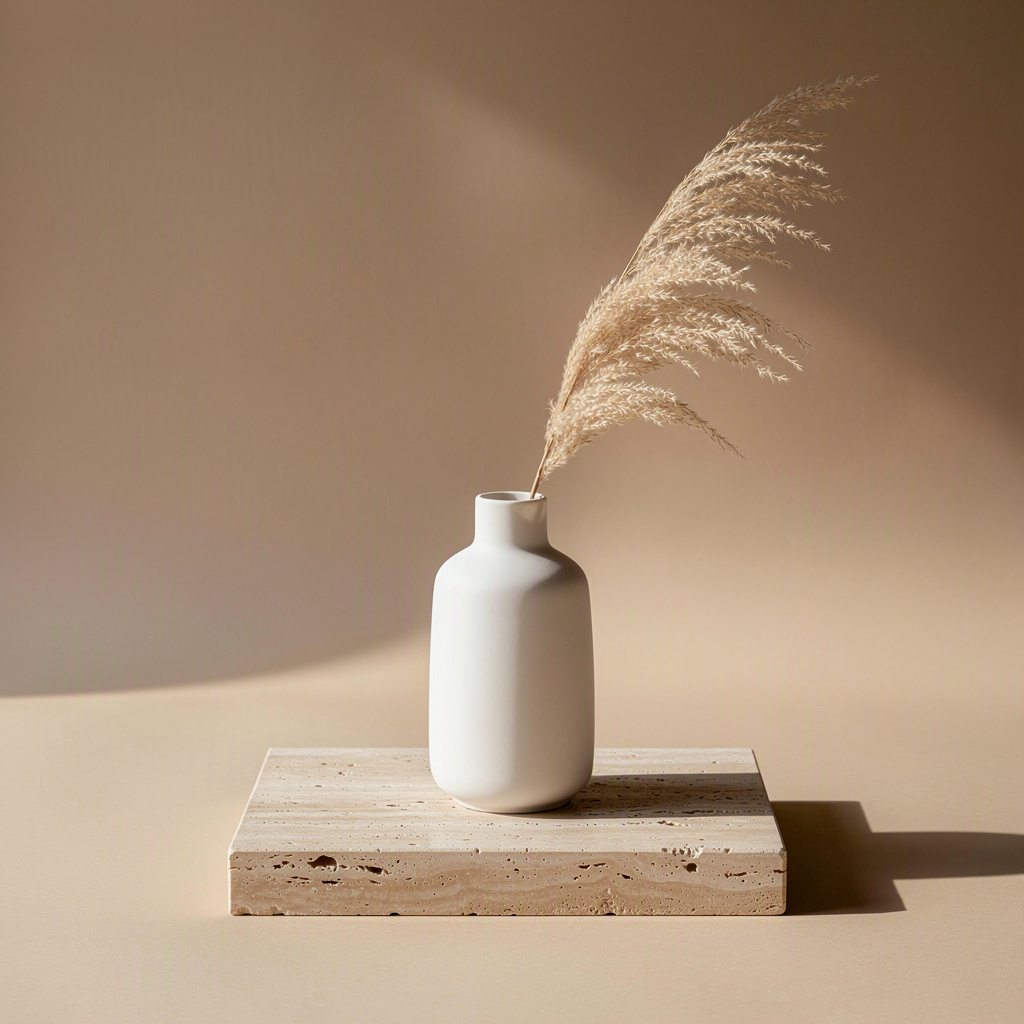
*Existing public example from the flux-2-pro model page: minimalist studio product photo of a ceramic vase, 1K, 1:1, the only size it currently offers. List price: 2.67 Credits.*
*Existing public example from the GPT Image 2.5 Sunburst model page: futuristic coastal city at dusk, 1K, 16:9. List price: 2.667 Credits at any resolution.*

*Existing public example from the Qwen Image 3.0 Pro model page: lavender fields at sunset, 1K, 16:9. List price: 6.667 Credits without references.*

*Existing public example from the Seedream 5.0 Pro model page: aurora over a snowy cabin, 1K, 16:9. List price: 7.5 Credits without references.*
Notice that four of these share 1K and 16:9, which is exactly the kind of setting you can A/B across models with one client. flux-2-pro cannot join that comparison, because it only produces 1:1.
One async client, models in config
All six models use the same asynchronous endpoint: POST https://orux.top/api/v1/tasks with a model and an input object, which returns a task_id with HTTP 202. You then poll GET https://orux.top/api/v1/tasks/{id} until the status is SUCCESS, FAILED or EXPIRED. Only the model string and the allowed input values change between models, so the model choice belongs in configuration, not in code.
The script below does four things: validates the request against each model's limits, submits and polls, saves results immediately (result links are temporary), and writes an attempts ledger so you can compute cost per accepted image per model. Create an API key, export it as ORUX_API_KEY, and install requests.
import json
import os
import sys
import time

import requests

BASE = "https://orux.top/api/v1"
HEADERS = {"Authorization": f"Bearer {os.environ['ORUX_API_KEY']}"}

# List prices in Credits per successful image, read from model pages on 2026-11-04.
# Keys are (resolution, reference_count) where it matters; refs surcharges omitted
# for Qwen/Seedream except the no-reference rows, so keep image_urls empty for them here.
MODELS = {
    "nano-banana-2.1": {"res": {"1K": 2.281, "2K": 2.667, "4K": 2.667},
                        "ratios": {"1:1", "16:9", "9:16", "4:3", "3:4", "3:2", "2:3", "21:9"},
                        "max_refs": 10},
    "flux-2-pro": {"res": {"1K": 2.67}, "ratios": {"1:1"}, "max_refs": 0},
    "gpt-image-2.5-sunburst": {"res": {"1K": 2.667, "2K": 2.667, "4K": 2.667},
                               "ratios": {"1:1", "16:9", "9:16", "4:3", "3:4", "3:2", "2:3", "21:9"},
                               "max_refs": 16},
    "wan2.7-image": {"res": {"1K": 4.333, "2K": 4.333},
                     "ratios": {"1:1", "16:9", "9:16", "4:3", "3:4"}, "max_refs": 9},
    "qwen-image-3.0-pro": {"res": {"1K": 6.667, "2K": 13.33},
                           "ratios": {"1:1", "16:9", "9:16", "4:3", "3:4", "3:2", "2:3"},
                           "max_refs": 0},   # refs add a surcharge; not modelled here
    "seedream-5.0-pro": {"res": {"1K": 7.5, "2K": 15.0},
                         "ratios": {"1:1", "16:9", "9:16", "4:3", "3:4", "3:2", "2:3", "21:9"},
                         "max_refs": 0},     # refs add a surcharge; not modelled here
}

# Switch models here (or via env var) without touching the rest of the code.
ACTIVE_MODEL = os.environ.get("ORUX_IMAGE_MODEL", "nano-banana-2.1")
LEDGER = "ledger.jsonl"


def build_input(prompt: str, resolution: str, aspect_ratio: str, refs=None) -> dict:
    spec = MODELS[ACTIVE_MODEL]
    refs = refs or []
    if resolution not in spec["res"]:
        raise ValueError(f"{ACTIVE_MODEL} has no {resolution}; options: {list(spec['res'])}")
    if aspect_ratio not in spec["ratios"]:
        raise ValueError(f"{ACTIVE_MODEL} does not accept {aspect_ratio}")
    if len(refs) > spec["max_refs"]:
        raise ValueError(f"{ACTIVE_MODEL}: too many reference images for this script")
    payload = {"prompt": prompt, "resolution": resolution, "aspect_ratio": aspect_ratio}
    if refs:
        payload["image_urls"] = refs
    return payload


def submit(payload: dict) -> str:
    r = requests.post(f"{BASE}/tasks", headers=HEADERS,
                      json={"model": ACTIVE_MODEL, "input": payload}, timeout=60)
    if r.status_code == 402:
        sys.exit("Insufficient balance: top up your Credits.")
    r.raise_for_status()
    return r.json()["task_id"]


def wait(task_id: str, max_wait: int = 900) -> dict:
    deadline = time.time() + max_wait
    while time.time() < deadline:
        time.sleep(5)
        r = requests.get(f"{BASE}/tasks/{task_id}", headers=HEADERS, timeout=30)
        r.raise_for_status()
        task = r.json()
        if task["status"] in ("SUCCESS", "FAILED", "EXPIRED"):
            return task
    raise TimeoutError(f"{task_id} still running: poll again later, do not resubmit")


def log(row: dict) -> None:
    with open(LEDGER, "a") as f:
        f.write(json.dumps(row) + "\n")


def generate_until_accepted(prompt, resolution="1K", aspect_ratio="1:1", max_attempts=3):
    payload = build_input(prompt, resolution, aspect_ratio)
    price = MODELS[ACTIVE_MODEL]["res"][resolution]
    for attempt in range(1, max_attempts + 1):
        task_id = submit(payload)
        log({"model": ACTIVE_MODEL, "task_id": task_id, "event": "submitted"})
        task = wait(task_id)
        if task["status"] != "SUCCESS":
            log({"model": ACTIVE_MODEL, "task_id": task_id, "event": task["status"], "credits": 0})
            continue
        urls = task.get("result") or []
        path = f"{task_id}.png"
        with open(path, "wb") as f:
            f.write(requests.get(urls[0], timeout=120).content)  # links expire: save now
        ok = input(f"Attempt {attempt}: review {path}. Accept? [y/N] ").strip().lower() == "y"
        log({"model": ACTIVE_MODEL, "task_id": task_id, "event": "accepted" if ok else "rejected",
             "credits": price})
        if ok:
            return path
    return None


def report() -> None:
    stats = {}
    with open(LEDGER) as f:
        for line in f:
            row = json.loads(line)
            s = stats.setdefault(row["model"], {"credits": 0.0, "accepted": 0, "attempts": 0})
            if row["event"] in ("accepted", "rejected"):
                s["attempts"] += 1
                s["credits"] += row["credits"]
                s["accepted"] += row["event"] == "accepted"
    for model, s in stats.items():
        if s["accepted"]:
            per = s["credits"] / s["accepted"]
            print(f"{model}: {s['attempts'] / s['accepted']:.2f} attempts/accepted, "
                  f"{per:.3f} Cr (${per * 0.005:.4f}) per accepted image")


if __name__ == "__main__":
    generate_until_accepted(
        "Minimalist studio product photograph of a matte white ceramic vase on a "
        "travertine plinth, soft window light, warm beige backdrop, no text.",
        resolution="1K", aspect_ratio="1:1")
    report()
To compare two models on the same brief, run the script once with ORUX_IMAGE_MODEL=nano-banana-2.1 and once with ORUX_IMAGE_MODEL=gpt-image-2.5-sunburst, then read the report. The ledger counts only successful images as billed, which matches how Orux AI charges: FAILED and EXPIRED tasks are logged with zero Credits.
A few notes on the design:
- The price table is a local estimate. It is there for budgeting, not billing. Prices can change, so re-read the model pages before a big run and update the numbers.
- Reference-image surcharges are deliberately not modelled for Qwen Image 3.0 Pro and Seedream 5.0 Pro. If you add
image_urlsfor those models, look up the per-reference row on the model page. - Polling every 5 seconds is enough. Image tasks can take minutes, so run this from a background worker, not inside a web request.
- The manual accept prompt is a placeholder. In production you might replace it with an automated check, a reviewer queue, or a user's thumbs-up. What matters is that every accept or reject gets written down.
Choosing a default and a fallback
Once you have real attempt ratios, the choice is mostly arithmetic. Some honest trade-offs from the model pages:
- Nano Banana 2.1 has the lowest 1K list price here and free references, plus the widest aspect-ratio list. It is a reasonable default for high-volume drafts.
- GPT Image 2.5 Sunburst costs 2.667 Credits at 1K, 2K and 4K alike, so it is the cheapest route to 4K output in this group. It accepts up to 16 references.
- flux-2-pro is the same price class but text-only, 1K and 1:1. Use it for square assets only.
- Wan2.7 Image costs more per attempt than the three above, but includes up to 9 references at one flat price, which helps edit-heavy pipelines.
- Qwen Image 3.0 Pro and Seedream 5.0 Pro are the most expensive per attempt, and references add a surcharge. They only win on cost per accepted image if your pilot shows the cheaper models need far more retries for your use case, such as posters with exact lettering.
A sensible pattern is a cheap default, a premium fallback for jobs the default keeps failing on, and a monthly re-check of both the list prices and your measured ratios.
FAQ
What is cost per accepted image?
Cost per accepted image is the list price per attempt multiplied by the average number of attempts it takes to get one image you keep. If a model costs 2.281 Credits and you accept 1 in 1.3 results, you pay about 2.965 Credits ($0.0148) per accepted image.
Do failed image tasks cost Credits on Orux AI?
No. Image tasks are billed only when they finish with SUCCESS; tasks that end as FAILED or EXPIRED are not charged. Successful images you reject are still charged, which is why attempts per accepted image matters.
Which of these six models is cheapest per image right now?
Nano Banana 2.1 at 1K is the lowest list price in this group, at 2.281 Credits ($0.0114) per image as of 2026-11-04. flux-2-pro (2.67 Cr) and GPT Image 2.5 Sunburst (2.667 Cr) are close behind; at 4K, GPT Image 2.5 Sunburst and Nano Banana 2.1 both cost 2.667 Credits.
Can I switch image models without changing my code?
Yes, if the model name and its parameter limits live in configuration. Every model here uses the same POST /api/v1/tasks and GET /api/v1/tasks/{id} flow; only the model string and the allowed resolutions, aspect ratios and reference counts differ.
How many test images do I need to estimate attempts per accepted image?
Start with a pilot of a few dozen images per model on your real prompts, then keep logging in production. A small pilot gives a rough ratio; the ledger in the script above refines it over time.
When is a more expensive model worth it?
A more expensive model is worth it when your measured retries on the cheaper model exceed the break-even ratio. Against Seedream 5.0 Pro at one attempt, Nano Banana 2.1 breaks even at about 3.3 attempts and Wan2.7 Image at about 1.7.
Build with these models through one API
One OpenAI-compatible API for chat, image, video and audio models, billed in Credits.
Related articles
Browse all articles →
GPT Image 2.5 API: Price per Image and Flare vs Sunburst
GPT Image 2.5 API costs 5.4 Credits ($0.027) per 1K image on Orux AI for Flare or Sunburst. Compare token-based OpenAI pricing, speed and a working Python call.
Cheapest Image Generation API 2026: 10 Models per Image
Cheapest image generation API, Oct 2026: 10 models priced per image. Nano Banana 2.1 from 3.6 Credits ($0.018), GPT Image 2.5 at 5.4, plus cost per 100 images.
Nano Banana 2.1 API: Price per Image and Python Quickstart
Nano Banana 2.1 API costs 3.6 Credits ($0.018) per 1K image on Orux AI vs $0.0336 direct. See 2K/4K rates, aspect ratios, edit mode and Python code.