
Orux AI / Model notes
GPT Image 2.5 API: Price per Image and Flare vs Sunburst
GPT Image 2.5 API costs 5.4 Credits ($0.027) per 1K image on Orux AI for Flare or Sunburst. Compare token-based OpenAI pricing, speed and a working Python call.
On this page
On Orux AI, the GPT Image 2.5 API costs a flat 5.4 Credits ($0.027) per 1K image, 9 Credits ($0.045) per 2K image and 14.4 Credits ($0.072) per 4K image, and Flare and Sunburst are priced identically. OpenAI itself does not publish a per-image price for either model: it bills $30 per 1M image output tokens, so your cost depends on quality and size. Below are the price table, what actually differs between Flare and Sunburst, a working Python request, and one saved example we inspected pixel by pixel.
GPT Image 2.5 price per image
Orux AI charges one fixed price per finished image, set by the resolution you request. Here is how that sits next to OpenAI's token pricing and a third-party per-image offer, as of Oct 29, 2026.
| Source | 1K | 2K | 4K | How it is billed |
|---|---|---|---|---|
| Orux AI, GPT Image 2.5 Flare | 5.4 Credits ($0.027) | 9 Credits ($0.045) | 14.4 Credits ($0.072) | Fixed per image |
| Orux AI, GPT Image 2.5 Sunburst | 5.4 Credits ($0.027) | 9 Credits ($0.045) | 14.4 Credits ($0.072) | Fixed per image |
| OpenAI direct (both models) | no per-image price | no per-image price | no per-image price | $30 per 1M image output tokens; $8 per 1M image input tokens; $5 per 1M text input tokens |
| getimg.ai (both models) | — | listed at $0.06 per image, max 2K | — | Per image, vendor page checked Oct 30, 2026 |
Swipe horizontally to view the full table.
Sources: OpenAI GPT Image 2.5 Sunburst, OpenAI GPT Image 2.5 Flare, getimg.ai API pricing, and the Orux model pages for Flare and Sunburst. Orux AI bills in Credits at a fixed 1 Credit = $0.005; dollar amounts in brackets are for comparison only.
Two caveats before you read too much into the comparison:
- OpenAI's cost per image depends on how many output tokens a given quality and size produce. OpenAI lists quality settings from
lowtomaxplusauto, and notes that its GPT Image 2 calculator does not estimate GPT Image 2.5 token use. Without a published token count per image, a like-for-like dollar comparison with OpenAI direct is not possible, so we do not claim one. - The Orux AI request schema for these two models has no
qualityfield. You choose resolution and aspect ratio; you cannot pick OpenAI's quality tier through Orux. If your workload depends on runninglowquality for cheap drafts, call OpenAI directly.
What you do get from a flat price is predictability: a batch of 1,000 2K images costs 9,000 Credits ($45), full stop. Failed generations are not charged: an image task is billed only when it reaches SUCCESS. If cost is the main driver, Nano Banana 2.1 is cheaper on Orux at every size (3.6 / 5.4 / 8.1 Credits for 1K / 2K / 4K); the full ranking is in cheapest image generation API.
Flare vs Sunburst: what differs
On price, nothing. On Orux AI, both models also take exactly the same parameters. The differences are in how OpenAI positions them and in how long they take.
| GPT Image 2.5 Flare | GPT Image 2.5 Sunburst | |
|---|---|---|
| How OpenAI positions it | Its fastest model for everyday high-quality images | Its most capable model for generation and editing |
| OpenAI speed label | Very fast | Medium |
| OpenAI token rates | $5 text in / $30 image out per 1M | $5 text in / $30 image out per 1M |
| Orux AI price (1K / 2K / 4K) | 5.4 / 9 / 14.4 Credits | 5.4 / 9 / 14.4 Credits |
Reference images (image_urls) | up to 16 | up to 16 |
| Average generation time on Orux AI | 67 s | 125 s |
Swipe horizontally to view the full table.
Generation times are the average of 5 recent completed tasks on Orux AI, as reported on each model page in October 2026. Five samples are enough to see that Sunburst is slower, not enough to promise a number; expect your own runs to vary with load, prompt and resolution.
OpenAI points Sunburst at work where precise editing matters most. In practice that suggests a simple split. Use Flare for first drafts, product shots and anything where you will generate several options and pick one, because you get results in roughly half the time at the same price. Switch to Sunburst for edit passes on an existing image, and for final renders where small text and fine detail matter. Since the price is the same, the only cost of choosing Sunburst is waiting.
Generate an image with Python
Images are asynchronous on Orux AI: you submit a task, poll it, then download the result. The task endpoint does not support callbacks, and result URLs are temporary, so save the file as soon as the task succeeds.
# pip install requests pillow
import io, os, time, requests
from PIL import Image

BASE = "https://orux.top/api/v1"
HEADERS = {"Authorization": f"Bearer {os.environ['ORUX_API_KEY']}"}

PRICE = {"1K": 5.4, "2K": 9.0, "4K": 14.4}  # Credits per image, Flare and Sunburst, 2026-10-29

job = {
    "model": "gpt-image-2.5-flare",  # or "gpt-image-2.5-sunburst"
    "input": {
        "prompt": "Studio product photograph of a small matte purple ceramic vase "
                  "on a warm white background, soft natural shadow, no text.",
        "resolution": "2K",
        "aspect_ratio": "3:2",
    },
}

r = requests.post(f"{BASE}/tasks", headers=HEADERS, json=job, timeout=60)
r.raise_for_status()  # 401 bad key, 402 top up your balance, 429 back off and retry
task_id = r.json()["task_id"]
print("submitted", task_id, "| charged only on SUCCESS:", PRICE[job["input"]["resolution"]], "Credits")

while True:
    time.sleep(5)
    t = requests.get(f"{BASE}/tasks/{task_id}", headers=HEADERS, timeout=30).json()
    if t["status"] not in ("QUEUED", "RUNNING"):
        break

if t["status"] != "SUCCESS":
    raise RuntimeError(t.get("error") or t["status"])  # FAILED / EXPIRED are not charged

for i, url in enumerate(t["result"]):
    data = requests.get(url, timeout=120).content  # temporary URL: download now
    img = Image.open(io.BytesIO(data))
    print(f"out_{i}: {img.size[0]}x{img.size[1]}")
    with open(f"out_{i}.{img.format.lower()}", "wb") as f:
        f.write(data)
The inputs you will use most:
prompt: subject, scene, style and lighting. One request produces one image.resolution:1K,2Kor4K. This is the only thing that changes the price.aspect_ratio:auto,1:1,3:2,2:3,4:3,3:4,16:9,9:16,21:9, plus27:16,16:27,9:8and8:9, which require1K.image_urls: up to 16 reference images. Leave it out to generate from text; include it to edit or combine images.
Editing uses the same request with references added. For example, to restyle an existing product shot:
job["model"] = "gpt-image-2.5-sunburst"
job["input"].update({
    "prompt": "Keep the vase exactly as shown. Replace the background with pale linen "
              "and add a soft window shadow from the left.",
    "image_urls": ["https://example.com/your-vase.png"],  # publicly reachable URL
})
Reference URLs must be reachable by the service, so use a public or signed link rather than a local path.
Case study: a miniature bookshop inside a book
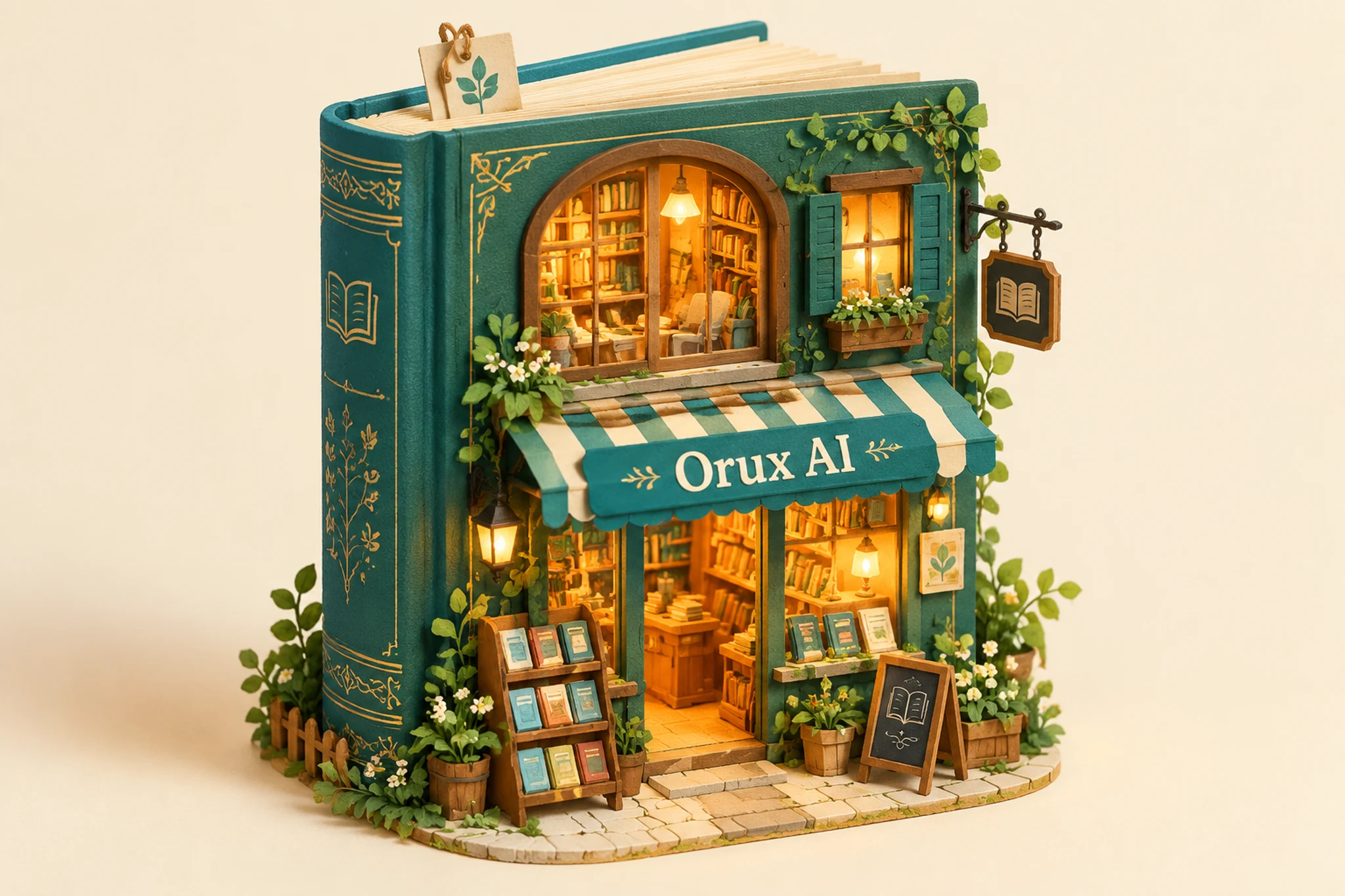
A useful way to judge an image model is to read one output carefully. This is the saved "Miniature bookshop" example on the GPT Image 2.5 Sunburst model page. It is an existing Orux example that we inspected for this article, not a new generation.
The saved settings are resolution="2K" and aspect_ratio="3:2", and the public file measures 2048 × 1365. That is the observed size of this one file, not a guarantee for every 2K output. The prompt:
A whimsical miniature bookshop built inside a giant teal hardcover book, glowing honey-colored windows, tiny green plants, detailed handcrafted paper diorama on a cream background. The front awning clearly reads exactly "Orux AI". Warm playful illustration, cinematic studio lighting, tactile paper textures.What makes the impossible scale readable is three separate cues. The upright spine on the left still reads as an ordinary book. The stacked pages above the shop act as a roof, which turns the book into a building. And the windows show much smaller shelves and lamps, which tells you there is an inhabitable interior. Remove any one of these and the picture becomes either "a book" or "a shop", not both. The striped awning and climbing plants tie the two scales together instead of introducing a separate landscape.
The prompt does the same job in words: the hardcover supplies the structure, "paper diorama" supplies tactile edges, and "honey-colored windows" suggests a welcoming interior. The awning in this result reads "Orux AI" with every character correct. One correct result is an observation, not a guarantee of correct lettering.
For comparison, the saved "Desert architecture" example on the Flare model page uses the same 2K and 3:2 settings, its file is also 2048 × 1365, and its small brass sign also reads "Orux AI" correctly. The two prompts are different, so this is not a controlled comparison of the models; it only shows that both produced correct short lettering once at these settings.
If you reuse the idea, say for a library reading week, change the spatial metaphor rather than piling on decorative objects. A mobile library inside an open atlas, with map folds as walls and a single door as the scale cue, is a materially different brief. We have not generated that one; it is a direction to try.
Checking lettering and output size before you ship
Any image that contains text needs a human read before it goes out. We use four checks:
| Check | What to look for |
|---|---|
| Is the main object still recognizable? | In the bookshop case: a readable spine, page edges and a coherent cover |
| Do the small details agree in scale? | Shelves, doorway and lamps that belong to the same miniature world |
| Is every required character correct? | Read each letter of brand names, dates and prices in the final file, not the thumbnail |
| Is the file the size your layout needs? | Measure the downloaded file; "2K" at 3:2 gave 2048 × 1365 here, other ratios will differ |
Swipe horizontally to view the full table.
The last check is easy to automate, because the Python example above already opens the downloaded file with Pillow. Add an assertion on img.size before the file reaches your CMS. The lettering check is not: keep essential wording such as dates, prices and legal text as live page text, and treat lettering inside the image as decoration that must still be proofread.
FAQ
How much does GPT Image 2.5 cost per image?
On Orux AI, both GPT Image 2.5 Flare and Sunburst cost 5.4 Credits ($0.027) at 1K, 9 Credits ($0.045) at 2K and 14.4 Credits ($0.072) at 4K, as of Oct 29, 2026. OpenAI does not publish a per-image price; it bills $30 per 1M image output tokens, so its cost per image varies with quality and size.
Flare or Sunburst: which should I use?
Use Flare when speed matters and you will generate several options, and Sunburst for edits and final renders where detail and precision matter more. They cost the same on Orux AI. In 5 recent completed tasks each, Flare averaged 67 seconds and Sunburst 125 seconds; treat those as rough guides, not guarantees.
Does resolution change the price?
Yes, and it is the only input that does on Orux AI. A 1K image is 5.4 Credits, 2K is 9 Credits and 4K is 14.4 Credits, for either model. Aspect ratio, prompt length and the number of reference images do not change the per-image price.
Can I edit an existing image?
Yes. Pass up to 16 publicly reachable image URLs in image_urls along with a prompt that says what to keep and what to change. OpenAI positions Sunburst as the better choice when editing precision matters. The request format and price are the same as text-to-image generation.
How long does generation take?
Expect around a minute for Flare and around two minutes for Sunburst: the Orux model pages reported averages of 67 and 125 seconds over 5 recent completed tasks each in October 2026. Poll the task every few seconds, and download the result promptly because result URLs are temporary.
Sources and next step
Open the saved examples on the GPT Image 2.5 Flare and GPT Image 2.5 Sunburst pages, or compare against Nano Banana 2.1 API pricing. Prices checked on 2026-10-29; the getimg.ai listing was checked on 2026-10-30. Sources: OpenAI model docs, OpenAI pricing, getimg.ai.
Build with these models through one API
One OpenAI-compatible API for chat, image, video and audio models, billed in Credits.
Related articles
Browse all articles →Seedance 2.0 API Pricing: 2.0 vs Fast vs Mini vs 2.5
Seedance 2.0 API on Orux AI: Mini from 12.59 Credits ($0.063) per second at 480p, 2.0 at 720p is 61.5 Credits. Compare four tiers, clip costs and Python code.
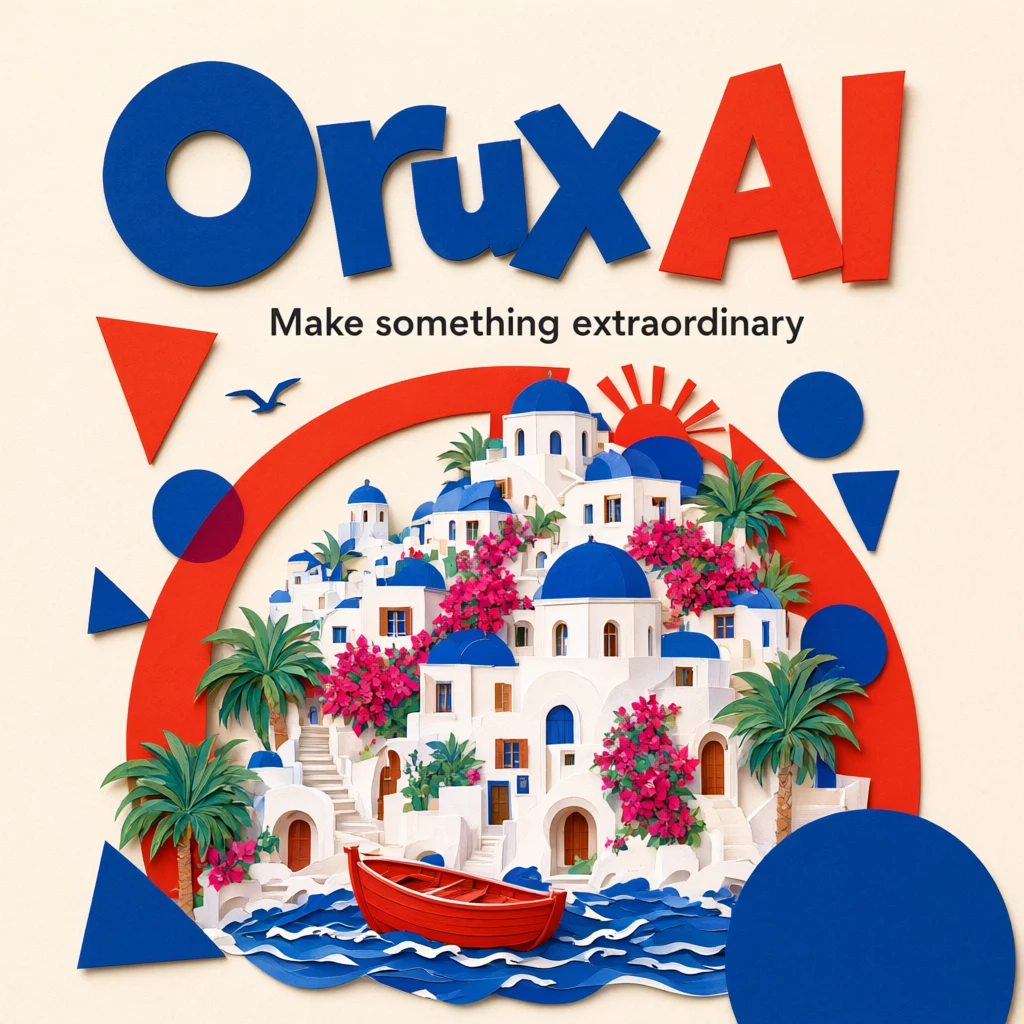
Qwen Image 3.0 API: Pricing, Pro vs Standard, Python
Qwen Image 3.0 API costs 6 Credits ($0.03) per image on Orux AI; Pro starts at 10.42 Credits. Compare both tiers, a real poster prompt and Python code.
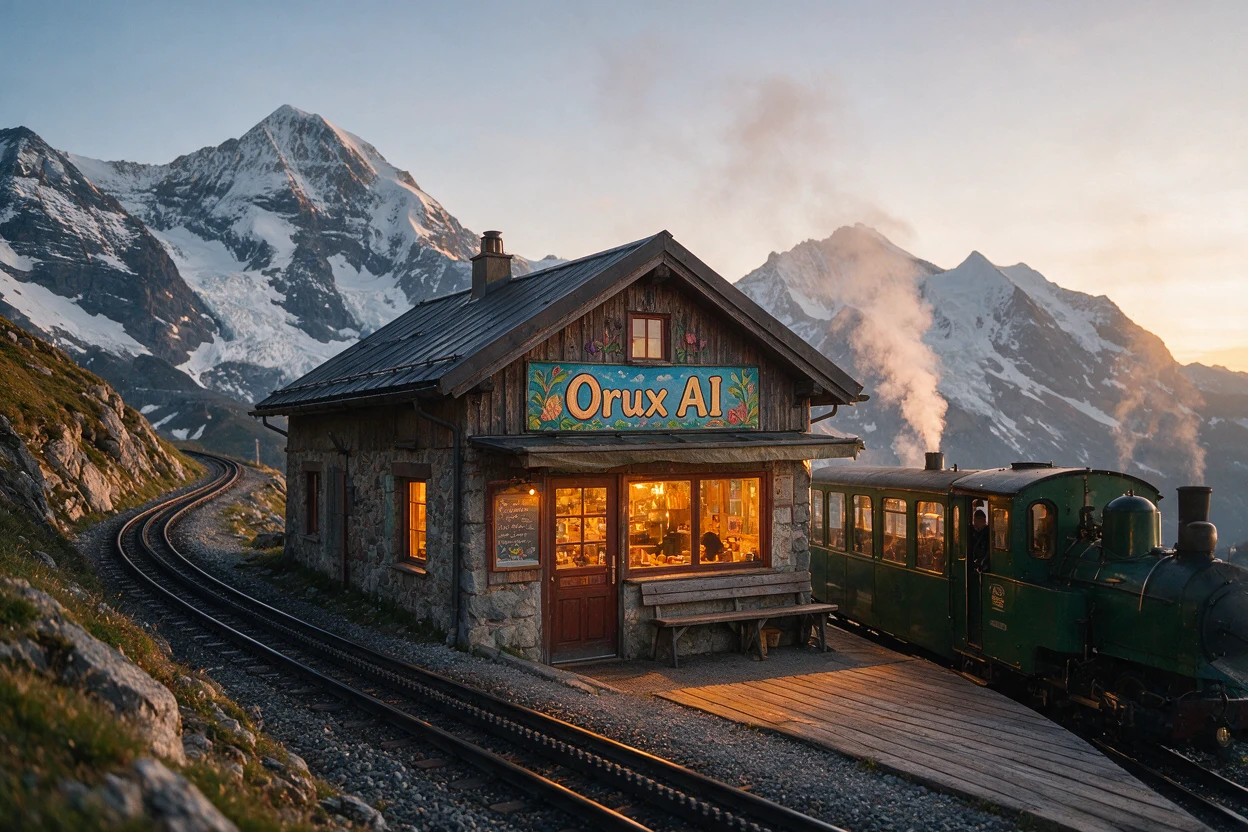
Seedream 5.0 Pro API: Price per Image, Sizes and Crop Test
Seedream 5.0 API pricing: Pro costs 10.5 Credits ($0.0525) per 1K image on Orux AI. See official tiers, reference-image fees, real output sizes and a crop test.